ALWAYS ON
A standby card, never a black hole
Lose signal on a pack swap and the output holds a standby card instead of freezing on the last frame or dropping the source out from under your switcher.
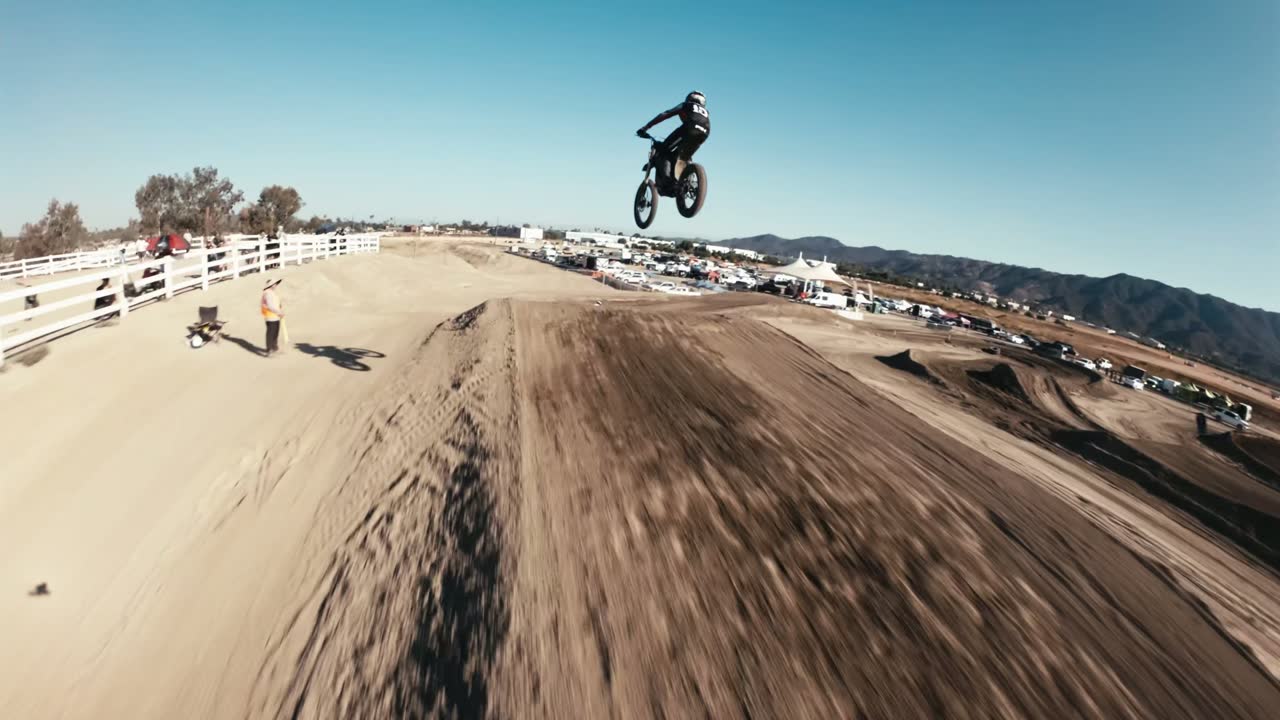
RACE DAY AERIALS · FPVLINK
FPVLink is an always-on HDMI output for DJI FPV goggles — decoded in hardware, held live with a standby card instead of black, and measured at 37.8 ms of added latency across a live 14-race event. It is the box at the end of our own chain at every event we fly, and we build them to order for other crews.
OFFICIAL AERIAL CREW · EMOTO RACING LIVE — SPRING & SUMMER SERIES
GLEN HELENPERRIS MXFOX RACEWAYLAKE ELSINORE01 — FPVLINK
Goggles are made to be worn, not patched into a broadcast. Getting a clean, always-live picture out of them is the part nobody sells you, so we built it: FPVLink, an always-on HDMI output for DJI FPV goggles, running on an Orange Pi 5. It is not a bench project: it is the same build that ends our chain at every event we fly. What your broadcast sees comes out of it.
SEE LICENSING →Lose signal on a pack swap and the output holds a standby card instead of freezing on the last frame or dropping the source out from under your switcher.
The RK3588S decodes H.264 in hardware and paints straight to the display. No laptop in the chain, nothing to fall over because a background update decided to run.
Take it as NDI into OBS or vMix in the tower, or push SRT / RTMP to a remote ingest. Streaming runs as its own process, so a bad uplink never touches the HDMI feed. All three are still in field testing — HDMI is the handoff we guarantee on a date. Every output is on every box, with nothing switched off or marked.
A password-protected page shows live fps, bitrate, resolution and dropped frames with a low-rate confidence preview — so your producer can check the feed without asking the pilot.
02 — LATENCY
Everyone in this category writes “ultra-low latency” and publishes no figure. Here is ours, what it covers, and — the part that actually matters — what it does not.
37.8ms
median latency the box adds — USB bytes in, to pixels handed to the panel
What that number is not. It is the box’s own segment and nothing else. Ahead of it sits the DJI radio link — 30–40 ms by DJI’s own published figures — and then the goggles’ USB video tap, which hands over no capture timestamp at all. Behind it sits your monitor or switcher, another 5–15 ms depending on the panel. The one thing you can add to our own segment is colour: running the 3D LUT measures +17 ms on top, also with no dropped frames.
Which is why we will not quote you a glass-to-glass number, and why you should be wary of anyone who does — the goggles make it genuinely unmeasurable. What we can hand you is our own segment, exactly, because that is the part we built and the part we can instrument. Cut it as a live camera and it behaves like one.
03 — THE SIGNAL CHAIN
A DJI O3 / O4 on the aircraft, transmitting from wherever it is on the property.
Your pilot's goggles on the ground are the receiver. What they fly by is what you get.
One USB-C cable into the box. Decoded in hardware, held always-on, colour handled with a 3D LUT if your show wants it.
Clean 1080p60 out of the HDMI port — no overlays, no menus, no goggle UI. It's just another camera on your board.
If the tower is easier to reach by network than by an HDMI run, take NDI on the LAN or SRT / RTMP to your ingest instead. Still in field testing, so this one gets agreed and proved before your date.
04 — WHAT'S INCLUDED
One price, one build. Nothing on this list is an upgrade, an add-on, a subscription or a tier — if a box can do it, your box can do it.
.cube, swap between LUTs with no restartListed here so your engineer finds out now rather than on race morning. If one of these is what decides it for you, say so — it moves up the list.
05 — BUILT TO ORDER
FPVLink is not sold as software and is not licensed on its own — it comes as a box we assemble, flash and bench-test, on exactly the hardware we fly. What you cannot buy at any price is a configuration somebody has already proven at a race, so that is what we sell, and the only configuration we support.
What that buys is colour grading nobody else offers, decode silicon a class above a Raspberry Pi 4, a latency figure we publish instead of describe, and one configuration we actually support. If none of that changes your show, you do not need this box — genuinely, and we will tell you so if you ask.
Mail us and we will tell you the moment boxes go on sale. Ordering is not open yet and the price is still TBD — there is nothing to pay and nothing to commit to today. When it does open we confirm your build slot the same day, build in the order slots were taken, and ship in 3–4 weeks, with 3–7 business days in transit after that. And we would rather you asked first than bought one you turn out not to need.
06 — LICENSING
FPVLink is not sold as software and is not distributed on its own. It comes on a box we build, bench-test and support, with a perpetual commercial license for the outfit named on it — so the hardware it runs on is hardware we stand behind, and a fault is one we can reproduce rather than guess at.
Paid events, sponsored events, client work, production companies
PERPETUAL — NEVER EXPIRES, NEVER PHONES HOME
Assembled on the RK3588 configuration we fly, with your own logo and sponsor cards on the feed. Coming soon — built to order in small numbers, shipping in 3–4 weeks.
07 — DO YOU ACTUALLY NEED ONE?
You are flying for fun, learning, or running club nights and practice sessions with no gate fee. This is a box built for people whose feed has a client on the other end of it. If nobody is paying for your broadcast, it is more box than you need — and we would rather tell you that than sell you one.
You are running paid, ticketed or sponsored events, or doing paid client video work, and a dropped feed costs you more than the box does. That is who we build these for, and the commercial license is included.
Several boxes, a purchase order, an invoice, a series rather than a single date, or you are not sure it fits your chain at all — just ask. It gets worked out case by case, and we will say so plainly if the answer is that you do not need one.
08 — WHAT PRODUCERS ASK
An HDMI cable carrying a clean 1080p60 program feed, straight into your switcher. That is the handoff we guarantee. If HDMI can't reach the production position, take NDI on the LAN instead, or push SRT / RTMP to an ingest you name — those are still in field testing, so prove the path on your own kit beforehand rather than reaching for it on race morning.
The source stays live and shows a standby card. Your switcher keeps seeing a valid signal, so nothing has to be re-selected when the next aircraft goes up.
The box adds 37.8 ms, median — measured across a live 14-race event with zero dropped frames, not on a bench. It reports its own ingest-to-display delay live on the dashboard, so you can check it on the day rather than take our word for it. The full budget, including the parts that aren't ours, is here.
True glass-to-glass isn't a number we'll quote — the goggles hand over no capture timestamp, so anyone quoting one is guessing. Cut it as a live camera and it behaves like one.
Not by the time it reaches you. FPVLink is at the end of the chain at every event we fly — it is the only way our own feed reaches a switcher — so the configuration you are buying gets proven every race day.
A perpetual commercial license in your outfit's name, in the price. There is no unlicensed box and nothing to buy separately — it is what puts your logo and your sponsor cards on the feed, and it covers paid client work.
It never expires and it is checked on the box: no activation, no license server, no phone-home. Once a version is on your box it is yours for good — nothing is revoked remotely and no update takes away a feature you already have.
Depends which goggles. V1 / V2 have free community tools, and Goggles 3 have Cosmostreamer's free viewer — Windows-only, and by their own description G3 only. For the N3 there is nothing, from anyone: DJI's own FAQ says the goggles do not output USB-C video to a computer, and we tested it ourselves, hidden OTG toggle included.
What DJI does support is sharing the feed to a phone — the same trick the box uses, except it lands on an HDMI port, always on, with no phone tied up and no app in the loop.
No. FPVLink is an independent project with no affiliation to or endorsement from DJI. It talks over USB to goggles we own.
Tell us what you're switching on and where the production position sits, and we'll tell you which output lands on it — before you order, not on race morning.
WHAT WE NEED TO KNOW
Would rather we flew it? We cover events ourselves, with this box already in the chain — see what a race day includes.